News in Opus Suite+
See More. Click Less. Decide Faster.
What's new in Opus Suite+
The latest release of Opus Suite+ is built around one idea: get you from data to decision faster. It supports our dedicated users in new and improved ways and is recognized for what it is appreciated for while improving where it’s needed. Sharper visuals, smarter navigation, and deeper analysis mean less time wrestling with the tool and more time acting on what it tells you.
See your system the way you think about it
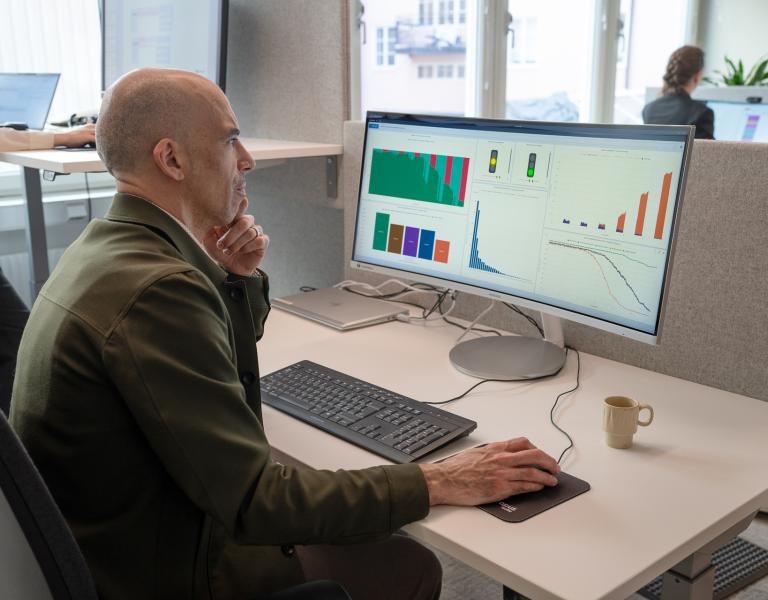
Complex support and maintenance systems are hard to overview in rows and columns. Now you don't have to. The new profile visualization gives you a useful overview of the planned operations, while richer product breakdown visuals let you filter tables and support-organization views directly from the breakdown tree. Station capabilities are shown in more detail, self-supported stations are clearly flagged, and updated quantity visuals make scale easy to read. Bundle descriptions now sit alongside model descriptions, so context is never more than a glance away.
Improved workflows
Small frictions add up over a long modeling session, but this release strips a lot of them out. Expand the entire product breakdown with a single command or search it directly instead of hunting through levels. Organization structures are now editable: reorder levels both horizontally and vertically to match how your support organization actually works. Model creation and analysis start from a predictable state every time, and table navigation gets a serious upgrade. Keyboard shortcuts, go-to-table, and "create in place" reference data mean far less switching back and forth. New shortcuts across the board make input faster, and the ability to navigate straight to definitions or references gets you directly where you need.
Catch your problems faster
Everyone makes mistakes, and correcting inconsistencies is a big part of modelling. Now you can click any error, warning, or notice to jump straight to the referenced row, filter tables by error status, and step through issues one by one. Together, these improvements will limit the time you spend on chasing errors.
Purpose-built table interactions
Advanced Opus Suite-specific table functions give you finer control over your data: disable or enable rows on demand, anonymize sensitive data (a renamed version of the previous "declassify" function), select records to delete/replace/duplicate, and keep track of everything with row numbering.
Also, a more capable import and export functionality, including full Excel, Access, and ODBC support is now available.
Faster, clearer and better results analysis
Results are now more organized, making comparisons between an optimization and an analysis point – with the same input data – much simpler. The simulation results have also undergone significant improvements: new graphs for system states, all results available directly in table form, and new visuals for task results. Also, there’s a new result dimension available, separating failures and preventive maintenance in a single view. This release also includes optimization and result analysis of phased scenarios.
Last, but not least, this release includes a new and enhanced functionality for comparing input models.